Vibe Code Cambodia

សួស្តី · Welcome

Day 1 ថ្ងៃទី ១

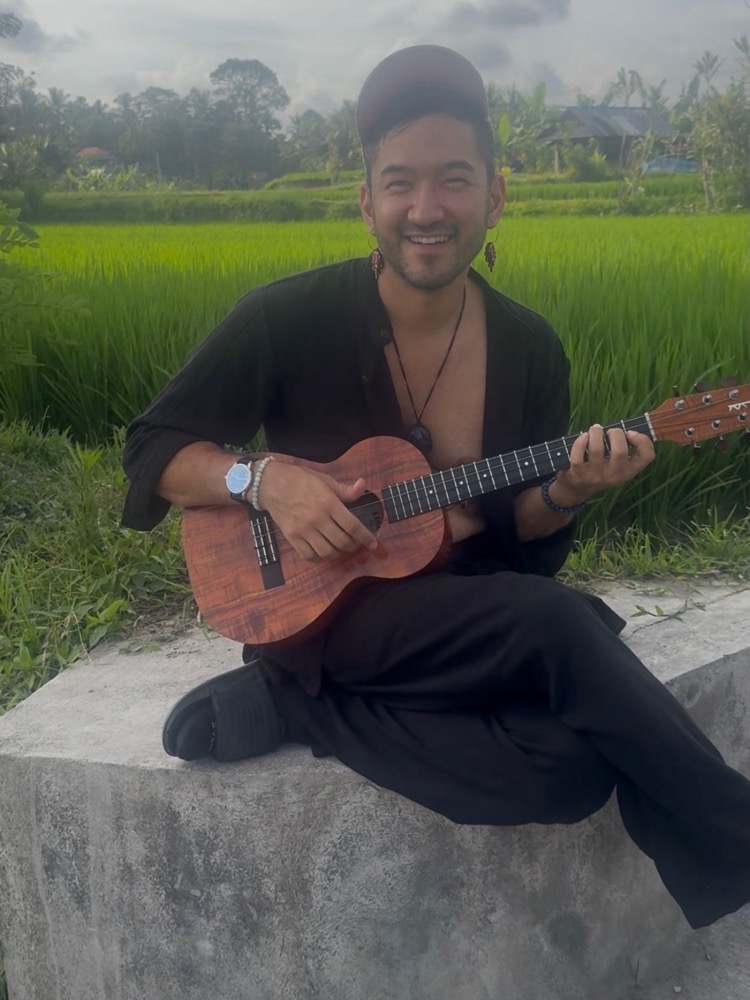
Hi, I'm Dandelion! សួស្តី ខ្ញុំឈ្មោះ Dandelion!

Dandelion at sunset in Bali, with a volcano behind

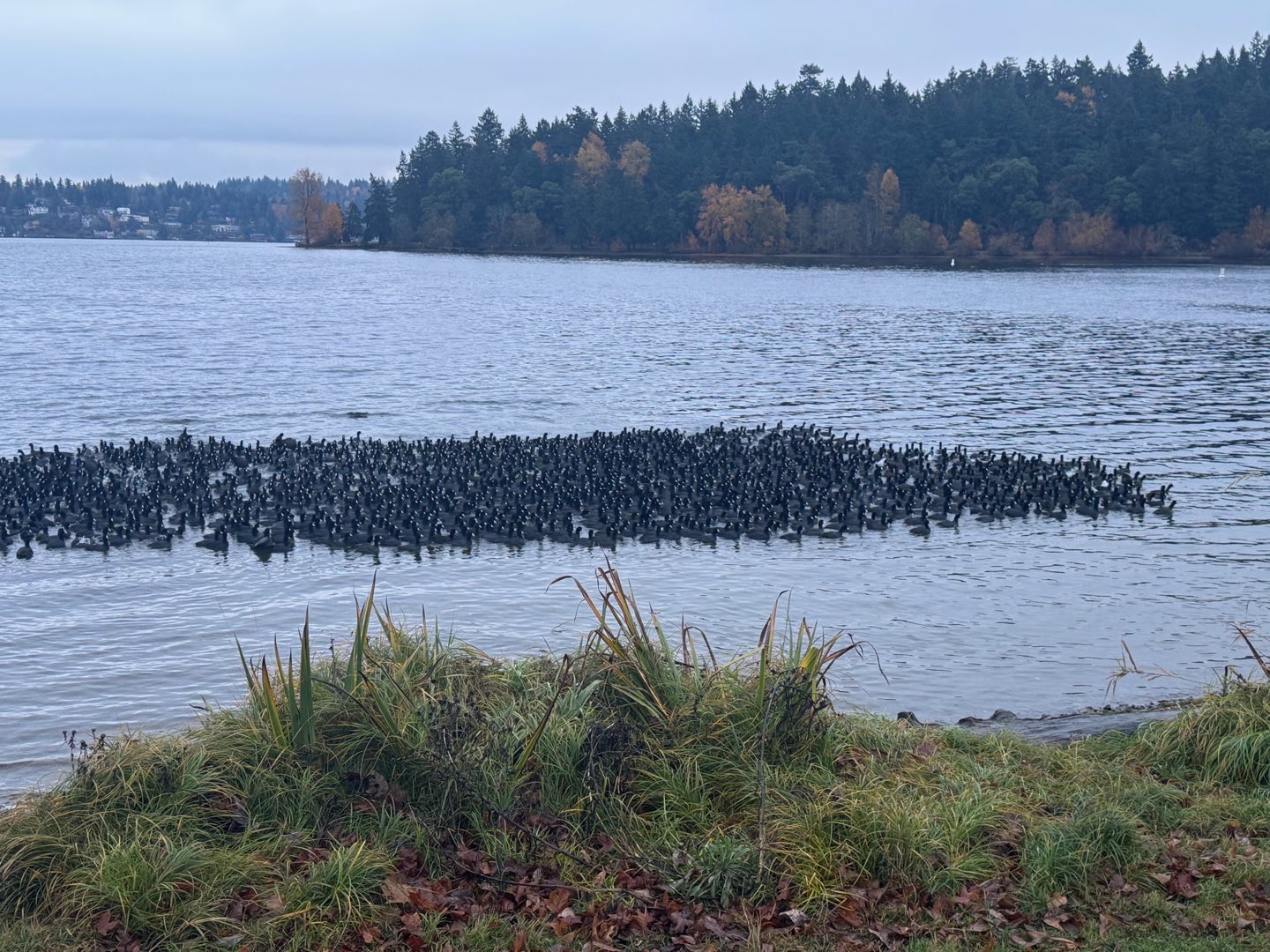
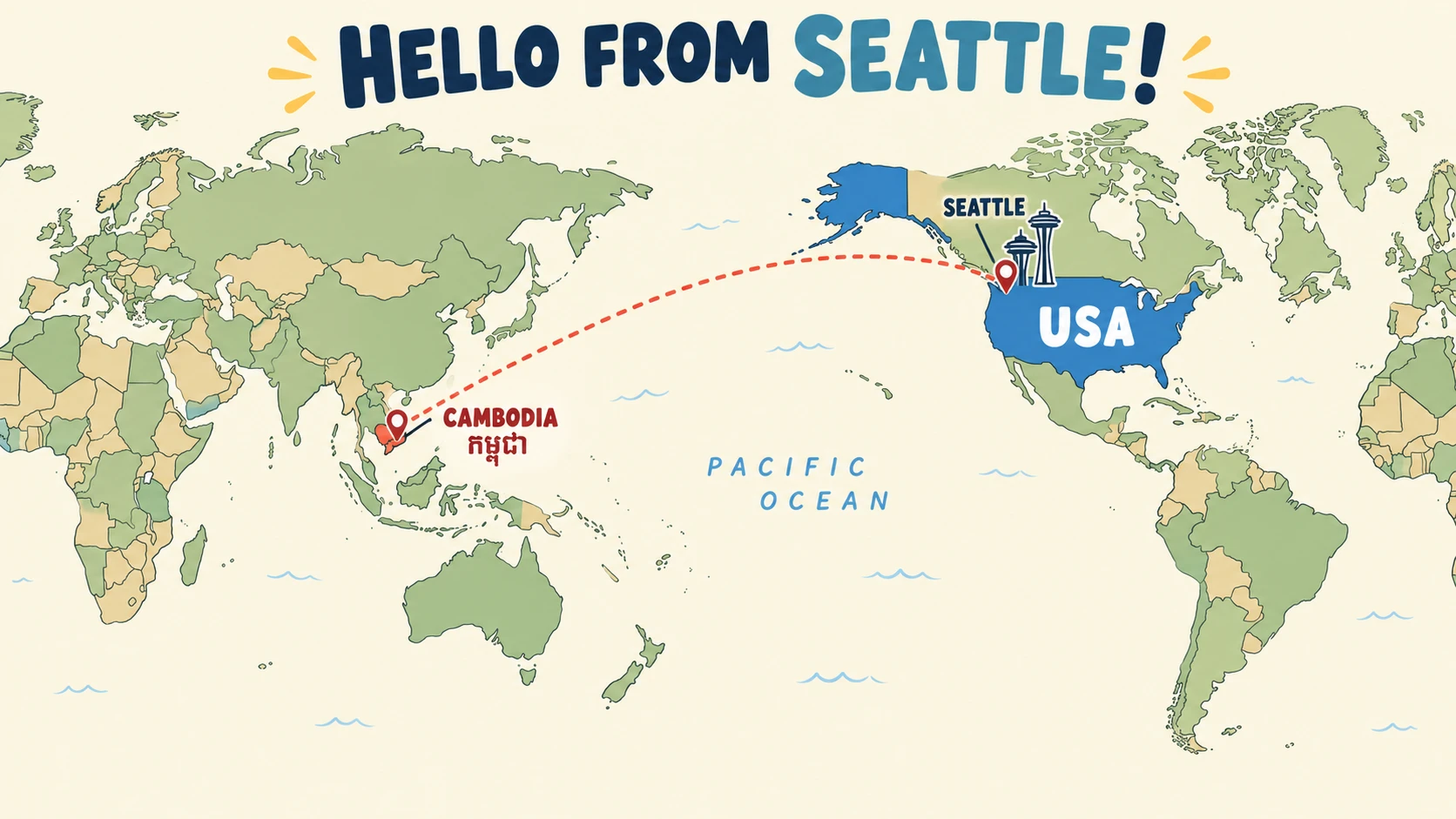
Hundreds of coots on Lake Washington, with Seward Park behindIllustrated world map: "Hello from Seattle!", with a dotted line across the Pacific from Cambodia to Seattle, USA

I live in Seattle, Washington, USA ខ្ញុំរស់នៅទីក្រុងស៊ីអាថល រដ្ឋវ៉ាស៊ីនតោន សហរដ្ឋអាមេរិក

Near Seward Park, on Lake Washington. នៅជិតឧទ្យាន Seward Park ក្បែរបឹង Lake Washington។

I've been a programmer for 10+ years ខ្ញុំធ្វើជាអ្នកសរសេរកម្មវិធីអស់រយៈពេលជាង ១០ ឆ្នាំហើយ

Including at , working on AI. រួមទាំងនៅក្រុមហ៊ុន Google ដោយធ្វើការលើ AI។

I also make art with code. ខ្ញុំក៏បង្កើតស្នាដៃសិល្បៈដោយប្រើកូដផងដែរ។
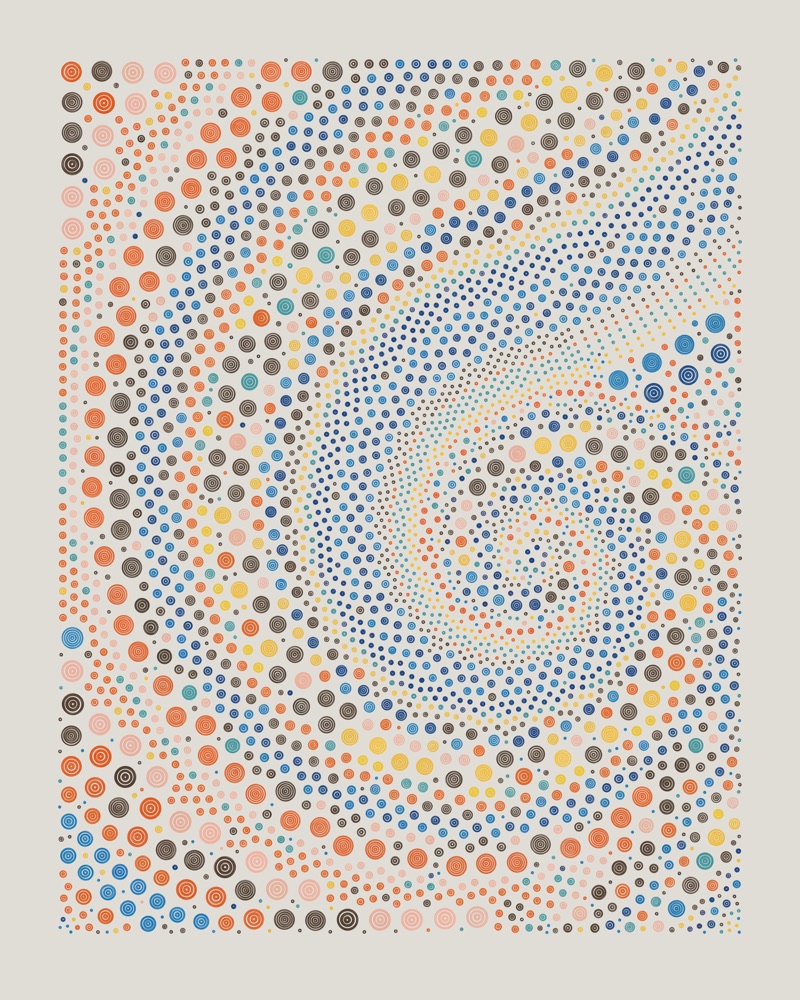
A QQL artwork: thousands of colored dots swirling into a spiralQQL: art drawn by a computer program I co-createdQQL៖ សិល្បៈដែលគូរដោយកម្មវិធីកុំព្យូទ័រ ដែលខ្ញុំបានរួមបង្កើត

Now, you. ឥឡូវនេះ ដល់វេនអ្នកហើយ។

👋 Your name ឈ្មោះរបស់អ្នក

🤖 Have you used AI before? For what? តើអ្នកធ្លាប់ប្រើ AI ទេ? ប្រើសម្រាប់អ្វី?

🛠️ If you could build anything, what would it be? ប្រសិនបើអ្នកអាចបង្កើតអ្វីក៏បាន តើអ្នកនឹងបង្កើតអ្វី?

An app, a website, a shop, a farm, a robot… digital or physical! កម្មវិធី គេហទំព័រ ហាង កសិដ្ឋាន មនុស្សយន្ត… ឌីជីថល ឬរបស់ពិតក៏បាន!

What are we doing here? តើយើងមកទីនេះដើម្បីធ្វើអ្វី?

The goal គោលដៅ

Build a professional-looking marketing website, on your own, by vibe coding. បង្កើតគេហទំព័រផ្សព្វផ្សាយដែលមើលទៅដូចអ្នកជំនាញ ដោយខ្លួនឯង តាមរយៈ vibe coding។

What is coding? តើការសរសេរកូដជាអ្វី?

Telling a computer what to do, by writing in computer language. ការប្រាប់កុំព្យូទ័រឱ្យធ្វើអ្វីមួយ ដោយសរសេរជាភាសាកុំព្យូទ័រ។

<h1 class="mt-6 font-display text-5xl leading-[1.02]
  font-extrabold tracking-tight text-balance sm:text-6xl
  lg:text-7xl">
  Build a real website by
  <span class="text-brand">talking</span> to AI.
</h1>
<p lang="km" class="mt-4 text-xl text-ink/70">
  បង្កើតគេហទំព័រជាមួយ AI
</p>

Coding is very powerful… ការសរសេរកូដមានអានុភាពខ្លាំងណាស់…

…but very difficult to learn. …ប៉ុន្តែពិបាករៀនណាស់។

To write a programming language like JavaScript or Python, you have to learn to think just like a computer: exact, step by step, no mistakes. ដើម្បីសរសេរភាសាកម្មវិធីដូចជា JavaScript ឬ Python អ្នកត្រូវរៀនគិតដូចកុំព្យូទ័រ៖ ច្បាស់លាស់ មួយជំហានម្តងៗ ហើយគ្មានកំហុស។

Now, coding is changing ឥឡូវនេះ ការសរសេរកូដកំពុងតែផ្លាស់ប្តូរ

AI is very good at thinking like a computer and writing computer language. AI ពូកែណាស់ក្នុងការគិតដូចកុំព្យូទ័រ និងសរសេរភាសាកុំព្យូទ័រ។

But it's also good at human language: English, Khmer, and many more. ប៉ុន្តែវាក៏ពូកែភាសាមនុស្សដែរ៖ ភាសាអង់គ្លេស ភាសាខ្មែរ និងភាសាជាច្រើនទៀត។

So now, we can vibe code. ដូច្នេះ ឥឡូវនេះ យើងអាច vibe code បាន។

What is vibe coding? តើ vibe coding ជាអ្វី?

Telling a computer what to do, by writing in human language. ការប្រាប់កុំព្យូទ័រឱ្យធ្វើអ្វីមួយ ដោយសរសេរជាភាសាមនុស្ស។

Make the headline bigger, and add a Khmer subtitle underneath it. សូមធ្វើឱ្យចំណងជើងធំជាងនេះ ហើយបន្ថែមចំណងជើងរងជាភាសាខ្មែរនៅខាងក្រោម។

This whole website is vibe coded. គេហទំព័រទាំងមូលនេះ ត្រូវបាន vibe code។

The slides, the homepage, all of it. I made it in about 2 hours, in a café in Siem Reap. ស្លាយ ទំព័រដើម ទាំងអស់។ ខ្ញុំបានបង្កើតវាក្នុងរយៈពេលប្រហែល ២ ម៉ោង នៅក្នុងហាងកាហ្វេមួយនៅសៀមរាប។
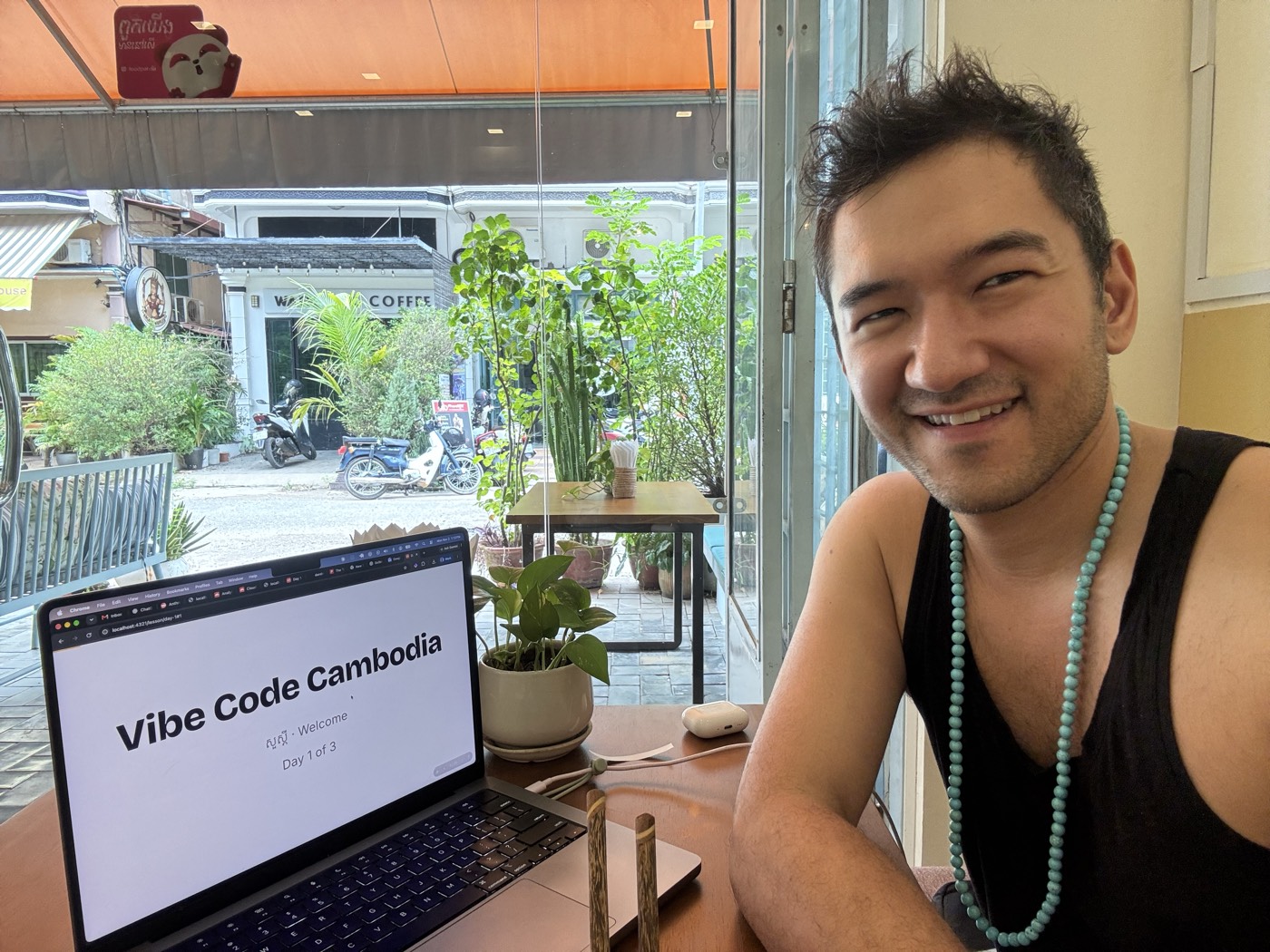
Dandelion smiling in a Siem Reap café, next to a laptop showing this deck's title slide

How we vibe code របៀបដែលយើង vibe code

  1. Choose a stack ជ្រើសរើស stack

    The set of technology the AI will use បណ្តុំបច្ចេកវិទ្យាដែល AI នឹងប្រើ

  2. Prompt ប្រាប់ AI

    Describe the site you want to the AI ពិពណ៌នាប្រាប់ AI អំពីគេហទំព័រដែលអ្នកចង់បាន

  3. Iterate កែលម្អម្តងហើយម្តងទៀត

    Check the result, tell the AI what to improve. Repeat! ពិនិត្យលទ្ធផល ហើយប្រាប់ AI ពីអ្វីដែលត្រូវកែ។ ធ្វើម្តងទៀត!

  4. Ship it ដាក់ឱ្យប្រើ

    Publish it to the internet ផ្សព្វផ្សាយវានៅលើអ៊ីនធឺណិត

The plan ផែនការ

I've already chosen a stack for you, and made a starting point you can all use. It's the same one this website is built with. ខ្ញុំបានជ្រើសរើស stack រួចហើយសម្រាប់អ្នក ហើយបានរៀបចំចំណុចចាប់ផ្តើមមួយដែលអ្នកទាំងអស់គ្នាអាចប្រើបាន។ វាដូចគ្នានឹងអ្វីដែលគេហទំព័រនេះប្រើ។

  1. Today ថ្ងៃនេះ

    Watch me vibe code a website, live មើលខ្ញុំ vibe code គេហទំព័រមួយផ្ទាល់

  2. Tomorrow ថ្ងៃស្អែក

    You vibe code your own អ្នក vibe code គេហទំព័ររបស់អ្នកផ្ទាល់

  3. After that បន្ទាប់មក

    Make it better, ask anything, show it off កែលម្អវា សួរអ្វីក៏បាន ហើយបង្ហាញវាដល់អ្នកដទៃ

Live demo ការបង្ហាញផ្ទាល់

Watch me build a website from nothing. មើលខ្ញុំបង្កើតគេហទំព័រមួយចាប់ពីសូន្យ។

What to watch for អ្វីដែលត្រូវសង្កេតមើល

  • 💬 Asking ការស្នើសុំ

    What I ask for, in plain words អ្វីដែលខ្ញុំស្នើសុំ ជាពាក្យសាមញ្ញ

  • 🤖 Answering ការឆ្លើយតប

    How the AI answers របៀបដែល AI ឆ្លើយតប

  • 🧭 Steering ការដឹកនាំ

    What I do when it gets something wrong អ្វីដែលខ្ញុំធ្វើ នៅពេលវាធ្វើអ្វីមួយខុស

AI makes mistakes. Steering it is the real skill. AI អាចធ្វើខុសបាន។ ការដឹកនាំវាឱ្យត្រូវ គឺជាជំនាញពិតប្រាកដ។

Bonus: ភាសាខ្មែរ

Same website, in Khmer. One sentence to the AI: គេហទំព័រដដែល ជាភាសាខ្មែរ។ គ្រាន់តែប្រាប់ AI មួយប្រយោគ៖

"Make a Khmer version of this page." "សូមបង្កើតទំព័រនេះជាភាសាខ្មែរ។"

Before you go មុនពេលអ្នកត្រឡប់ទៅវិញ

Let's make your accounts together. តោះបង្កើតគណនីរបស់អ្នកជាមួយគ្នា។

Three accounts គណនីបី

Account គណនី What it's for ប្រើសម្រាប់អ្វី
Email អ៊ីមែល Signing up for everything else សម្រាប់ចុះឈ្មោះប្រើអ្វីៗផ្សេងទៀត
GitHub Where your website's files live កន្លែងរក្សាទុកឯកសារគេហទំព័ររបស់អ្នក
Cloudflare Puts your website on the internet, free ដាក់គេហទំព័ររបស់អ្នកលើអ៊ីនធឺណិត ដោយឥតគិតថ្លៃ

Write your passwords somewhere safe. សូមសរសេរពាក្យសម្ងាត់របស់អ្នកទុកនៅកន្លែងដែលមានសុវត្ថិភាព។

Homework កិច្ចការផ្ទះ

Pick one business or project you'd want a website for. ជ្រើសរើសអាជីវកម្ម ឬគម្រោងមួយ ដែលអ្នកចង់មានគេហទំព័រ។

Yours, your family's, a friend's, or a dream one. របស់អ្នក របស់គ្រួសារ របស់មិត្តភក្តិ ឬគម្រោងក្នុងក្តីស្រមៃ។

Then get your Mac ready: cambodia.dandelion.art/setup បន្ទាប់មក រៀបចំកុំព្យូទ័រ Mac របស់អ្នកឱ្យរួចរាល់។

Shortcuts

→ ↓ Space
Next slide
← ↑
Previous slide
Home / End
First / last slide
N
Show speaker notes
P
Open presenter window (notes + timer, stays in sync)
F
Full screen
⌘P / Ctrl+P
Print or save as PDF (one slide per page)